
IPTV Subscription
IPTV subscriptions have fundamentally changed how viewers access television content by delivering live channels, on-demand movies, and sports through internet connections instead of traditional cable or satellite systems. These services offer thousands of channels at a fraction of conventional TV costs, but the market is crowded with both reliable providers and risky options that can lead to poor streaming quality, security vulnerabilities, or legal complications.
Understanding what makes a quality IPTV subscription—from streaming reliability and device compatibility to content selection and legal legitimacy—helps you avoid common pitfalls and find a service that genuinely meets your entertainment needs. The difference between a frustrating experience filled with buffering and hidden fees versus seamless streaming with robust customer support often comes down to knowing what factors matter most before you commit to a subscription.
This guide walks you through the essential elements of IPTV subscriptions, from technical features and pricing structures to provider evaluation and setup processes. You’ll learn how to identify trustworthy services, optimize your streaming experience across multiple devices, and navigate the legal considerations that protect you from problematic providers.
What Is an IPTV Subscription?
An IPTV subscription grants you access to television content delivered through internet protocol networks rather than traditional broadcast methods. These services use your broadband connection to stream live channels, video-on-demand libraries, and time-shifted programming directly to your devices.
How Internet Protocol Television Works
Internet Protocol Television converts video content into data packets that travel through your broadband connection. Your provider maintains a headend server that gathers content from various sources, compresses it using codecs like H.264, and transmits it through dedicated IP networks.
The system relies on specific protocols to maintain quality. Multicast delivery handles live TV channels by sending a single stream to multiple users simultaneously, reducing bandwidth consumption. Unicast delivery manages on-demand content by creating individual streams for each viewer.
Your IPTV-compatible device receives these data packets through your router. The application decodes the stream and displays it on your screen. This closed-loop system operates separately from regular internet traffic, which helps maintain consistent quality even during peak usage hours.
The technology requires minimum bandwidth of 10 Mbps for HD content and 25 Mbps or higher for 4K streaming. Your connection stability directly affects stream quality and buffering frequency.
Types of IPTV Services
Live IPTV delivers real-time broadcasts similar to traditional television. You watch programs as they air, including news, sports events, and scheduled shows across multiple channels.
Video-on-Demand (VOD) provides access to content libraries where you select what to watch and when. This includes movies, series, and documentaries available for streaming at your convenience.
Time-Shifted IPTV lets you pause, rewind, or restart live broadcasts. Some services offer catch-up features that store recently aired programs for viewing within a specific timeframe.
Most IPTV subscriptions combine these service types. Legal IPTV providers like YouTube TV and Sling TV offer packages that include live channels, VOD libraries, and cloud DVR functionality. Licensed IPTV services maintain agreements with content owners to legally distribute programming.
IPTV Subscription vs. Traditional TV
| Feature | IPTV Subscription | Traditional TV |
|---|---|---|
| Delivery Method | Broadband internet | Cable/satellite signals |
| Contract Length | Monthly, cancel anytime | 1-2 year contracts typical |
| Equipment | Streaming device or app | Set-top box, dish installation |
| Average Cost | $40-$80/month | $100+/month |
| Channel Customization | Package options available | Fixed bundles |
IPTV subscriptions eliminate installation appointments and equipment rental fees. You access content through apps on devices you already own, like smart TVs, smartphones, or streaming sticks.
Traditional TV requires physical infrastructure and technician visits. You’re locked into predetermined channel packages with limited flexibility.
Legal IPTV services operate without long-term contracts, letting you subscribe and cancel based on your needs. You can watch on multiple devices simultaneously depending on your plan, while traditional TV typically charges extra for additional receivers in different rooms.
Key Features of IPTV Subscriptions
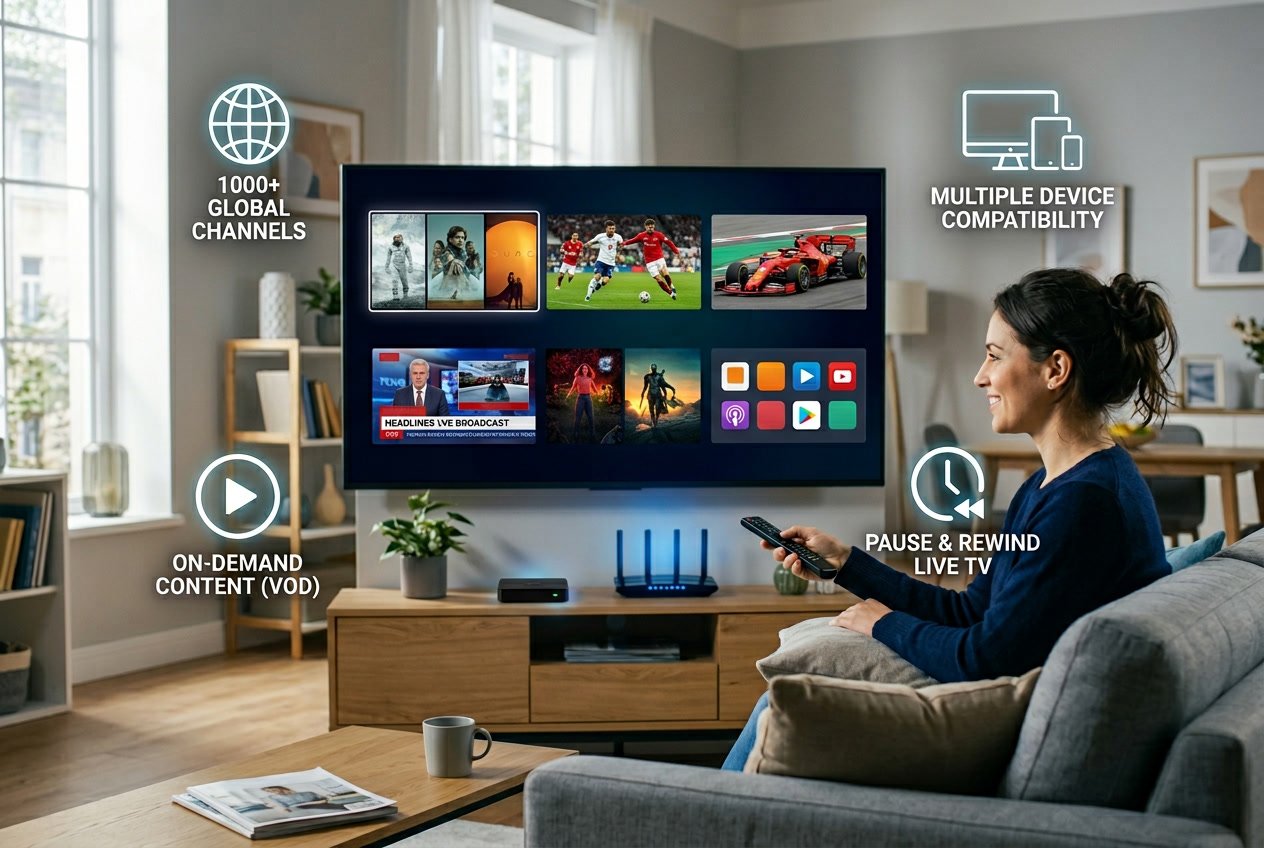
IPTV subscriptions deliver content through distinct technical features that determine viewing quality and convenience. Channel availability, on-demand libraries, program navigation tools, and streaming resolution form the core components that differentiate subscription tiers and provider capabilities.
Live Channels and Channel Lineup
Your live channels form the foundation of any IPTV subscription. Most providers offer between 24,000 and 27,000 live TV channels spanning sports, news, entertainment, international programming, documentaries, and kids content.
Channel lineups vary significantly across providers based on geographic coverage. Premium subscriptions typically include channels from 80 to 120+ countries, giving you access to regional content that traditional cable cannot match. Sports-focused packages prioritize live feeds for NFL, NBA, Premier League, Champions League, UFC, F1, cricket, and tennis events.
The quality of your channel lineup depends on both quantity and category depth. Some providers excel in international channels but lack premium sports coverage, while others prioritize North American content with limited international options. Premium channels like HBO, Showtime, and specialty sports networks appear in higher-tier subscriptions but may be excluded from budget packages.
Video on Demand and On-Demand Content
Your VOD library provides access to movies, TV series, and recorded content you can watch anytime. Current IPTV services offer VOD libraries ranging from 100,000 to 140,000 titles, with top providers updating content weekly.
Video on demand content typically organizes into categories including new releases, popular movies, TV series by season, documentaries, and international films. The size of your content library directly impacts subscription value, as larger VOD libraries reduce the need for additional streaming services.
On-demand content quality varies by provider. Some services maintain dedicated servers for VOD content to prevent buffering during peak hours, while budget providers may experience slower load times. Your VOD access usually includes catch-up TV functionality, allowing you to watch recently aired programs from live channels within a 24 to 72-hour window.
Electronic Program Guide (EPG)
Your EPG displays scheduled programming across all live channels in an organized grid format. A functional electronic program guide shows current and upcoming shows with titles, descriptions, start times, and episode information for planning your viewing.
EPG accuracy determines usability. Quality providers update EPG data every 12 to 24 hours and maintain accurate listings across all channels in your lineup. Budget services often struggle with incomplete EPG data, showing missing information or incorrect schedules that make channel navigation frustrating.
Advanced EPG features include program search, category filtering, favorites lists, and reminder notifications. Your EPG should load quickly when switching between channels and display at least 7 days of forward programming data.
Streaming Quality: 4K and HD
Your streaming quality determines picture clarity and viewing experience. IPTV subscriptions offer multiple resolution options including standard definition, HD streaming (720p and 1080p), and 4K streaming (2160p) depending on channel availability and your subscription tier.
High-definition streaming is now standard across premium and mid-tier providers, with most live channels broadcasting in 1080p. 4K streaming remains limited to select premium channels and major sporting events, as bandwidth requirements restrict widespread 4K availability. Your actual streaming quality depends on three factors: the provider’s source feed quality, their server capacity, and your internet connection speed.
Buffer rates indicate streaming reliability. Quality providers maintain buffer rates below 1% during peak viewing hours, while inferior services experience frequent interruptions above 2%. Sports channels require the most stable streaming infrastructure, as live events cannot tolerate buffering during critical moments.
Device Compatibility and Streaming Platforms
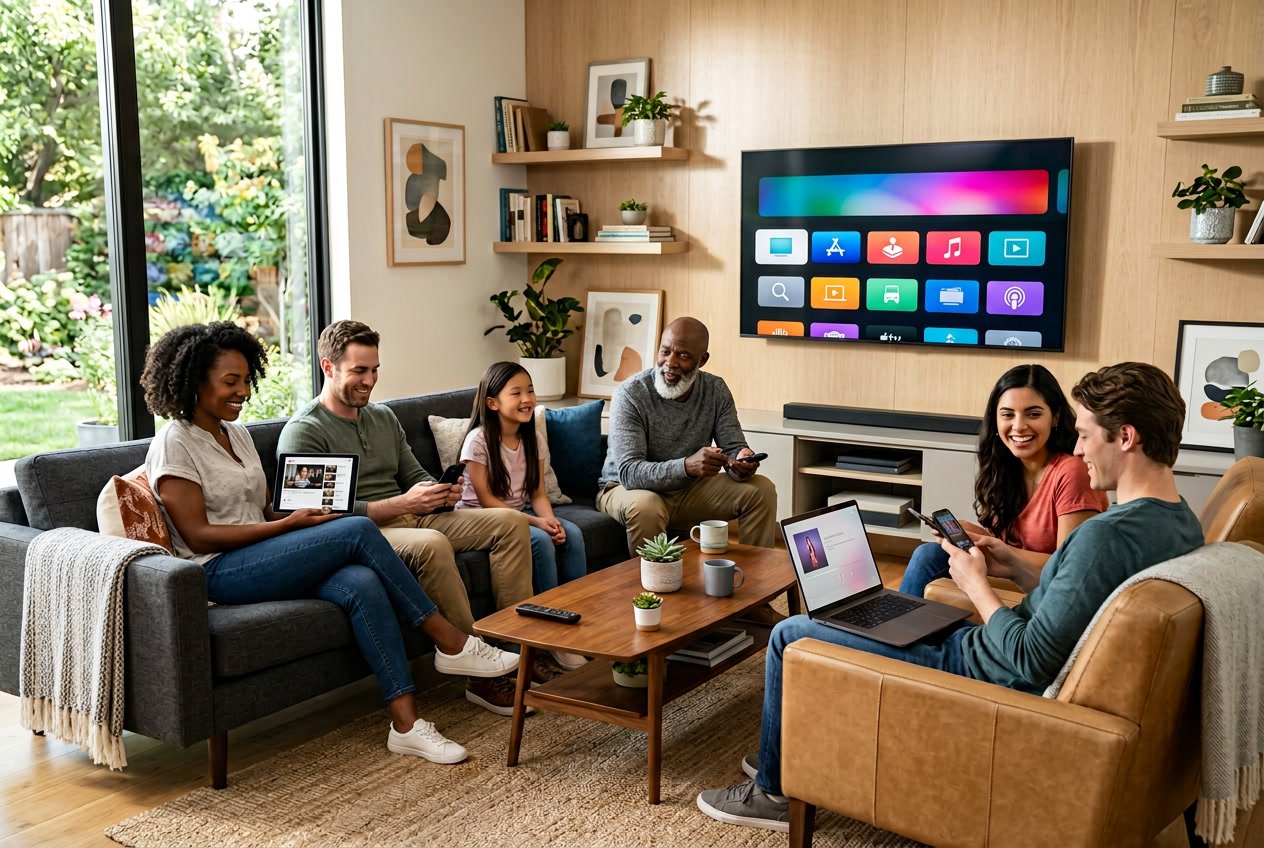
IPTV subscriptions work across a wide range of devices, from smart TVs and dedicated streaming boxes to smartphones and computers. Understanding which platforms support your chosen service and how many simultaneous streams you can access helps you maximize your subscription value.
Smart TVs and IPTV Boxes
Most modern smart TVs support IPTV services through dedicated apps or built-in browsers. Samsung, LG, Sony, and other major manufacturers offer app stores where you can download IPTV players directly to your television.
Android TV devices provide the most flexibility for IPTV streaming. These smart TVs come with Google Play Store access, allowing you to install virtually any IPTV player app. Popular Android TV brands include Sony, TCL, and Hisense.
IPTV boxes serve as dedicated streaming devices that connect to any TV with an HDMI port. An Android TV box transforms a standard television into a full-featured streaming platform with access to hundreds of IPTV apps. These boxes typically offer more processing power than built-in smart TV systems, resulting in smoother playback and faster navigation.
Dedicated IPTV boxes often include features like 4K support, multiple codec compatibility, and extensive storage options. You can load custom IPTV players and manage multiple subscriptions from a single device.
Streaming Devices: Firestick, Roku, Nvidia Shield
Firestick remains one of the most popular devices for IPTV streaming. Amazon’s Fire TV devices support most major IPTV apps through the Amazon App Store, and you can sideload additional applications when needed.
Roku devices offer limited IPTV support compared to other platforms. While some official IPTV services have Roku channels, many providers don’t support this ecosystem due to Roku’s stricter app policies. You’ll need to verify your specific IPTV provider offers Roku compatibility before purchasing.
The Nvidia Shield stands out as a premium option for IPTV enthusiasts. This Android TV device delivers powerful hardware capable of handling 4K streams, AI upscaling, and demanding IPTV applications without buffering. The Shield supports all Android IPTV apps and provides the most reliable streaming experience among dedicated devices.
Mobile and Desktop Support: Android, iOS, Windows PC
Your IPTV subscription extends beyond television screens to portable devices. Android smartphones and tablets offer the widest app compatibility, with most IPTV providers releasing native Android applications through Google Play Store or direct APK downloads.
iOS users can access IPTV services through dedicated apps available on the App Store. Apple’s strict app guidelines mean fewer options compared to Android, but major IPTV providers maintain iOS applications. You can also use generic IPTV players that support M3U playlist URLs.
Windows PC streaming gives you the largest screen experience without a television. You can use dedicated IPTV software, web-based players, or media center applications like VLC and Kodi. Desktop streaming works well for watching IPTV while working or for households without smart TVs.
Multi-Device Support and Simultaneous Streams
Multi-device support lets you access your IPTV subscription across all your compatible devices using a single account. You can start watching on your smart TV, pause, and continue on your smartphone without additional fees.
Simultaneous streams determine how many devices can watch different content at the same time. Most IPTV providers offer between 1 and 5 concurrent connections per subscription. Budget services typically limit you to one stream, while premium packages allow 3-5 simultaneous streams.
| Connection Tier | Typical Stream Count | Best For |
|---|---|---|
| Basic | 1-2 streams | Individual users |
| Standard | 2-3 streams | Small households |
| Premium | 4-5+ streams | Large families |
Multi-device compatibility becomes essential for households where multiple people want to watch different channels simultaneously. A family of four needs at least 3-4 simultaneous streams to avoid conflicts during peak viewing times. Some providers offer unlimited connections for a higher monthly fee.
Evaluating IPTV Subscription Providers
Selecting an IPTV service requires careful assessment of technical performance, content offerings, and support quality. The best IPTV providers distinguish themselves through consistent uptime, extensive channel libraries, and responsive customer service rather than marketing claims alone.
What Makes the Best IPTV Service
The best IPTV service providers balance channel variety with technical stability. You should look for services offering at least 20,000+ channels spanning multiple countries and languages, alongside substantial VOD libraries with regularly updated content. Premium providers typically include sports packages with PPV events at no additional cost.
Stream quality matters more than channel counts. The best IPTV provider will support multiple resolutions including 1080p and 4K, with adaptive bitrate streaming that adjusts to your connection speed. Look for services that offer multi-device compatibility across Fire Stick, Apple TV, Android devices, and Smart TVs.
Pricing transparency separates reputable services from questionable ones. Top IPTV providers clearly list subscription tiers, renewal costs, and any limitations on simultaneous connections. Many offer flexible plans ranging from monthly to annual subscriptions, with significant savings on longer commitments.
Top IPTV Providers and Brands in 2026
SonixIPTV leads the market with 45,000+ channels, 140,000+ VOD titles, and comprehensive sports coverage including NFL Sunday Ticket and NBA League Pass. The service maintains 99.7% uptime with consistent 4K streaming capabilities.
PioneersTV provides strong value with 35,000+ channels and 80,000+ VOD titles at competitive pricing. It excels in international programming across Europe, Asia, and the Middle East while maintaining 98.9% uptime.
IPTVGeeks targets advanced users with 28,000+ channels, 7-day replay functionality, and three simultaneous connections on standard plans. Custom playlist creation and API integration make it ideal for technical users.
Other notable IPTV services include WorthyStream, DigitalizarD, and Apollo Group TV, each offering distinct channel packages and regional content specializations. When comparing providers, verify actual performance through trial periods rather than relying solely on advertised channel counts.
Reliability, Uptime, and Buffer-Free Streaming
High uptime separates professional IPTV services from unstable alternatives. You should prioritize providers advertising 99%+ uptime, though actual performance requires independent verification. Services like SonixIPTV demonstrate 99.7% uptime over extended testing periods, while budget options may drop to 97-98%.
Buffer-free streaming depends on server infrastructure and content delivery networks. The best IPTV service providers employ multiple server locations with automatic failover systems that switch to backup servers during outages. Some services advertise proprietary anti-freeze technology or Antifreeze 10.0 systems designed to minimize buffering during peak viewing times.
Your internet connection plays a crucial role in streaming quality. Most IPTV providers recommend minimum speeds of 10 Mbps for HD content and 25 Mbps for 4K streams. Services with adaptive streaming automatically adjust quality based on available bandwidth, preventing constant buffering on slower connections.
Peak-time performance reveals true reliability. Test your chosen service during major sports events or prime-time hours when server loads peak. Providers maintaining smooth playback during high-traffic periods demonstrate superior infrastructure investment.
Customer Support and User Experience
24/7 customer support distinguishes professional IPTV services from hobby operations. Look for providers offering multiple contact methods including live chat, email, and ticket systems. Response times under two hours indicate adequate support staffing.
A 24-hour free trial or extended trial period lets you evaluate performance before committing financially. Some top IPTV providers offer 3-day or 7-day trials, while others provide a 30-day money-back guarantee as a risk-free evaluation period. Always test during your typical viewing hours and on all devices you plan to use.
Interface design affects daily usability. Quality IPTV services provide intuitive EPGs (Electronic Program Guides), category organization, search functions, and favorites lists. Mobile apps should mirror desktop functionality without compromised navigation.
Setup complexity varies significantly between providers. The best services offer detailed installation guides, pre-configured apps for popular devices, and automatic configuration through M3U or Xtream Codes API. Avoid services requiring extensive technical knowledge unless you specifically want customization options.
Subscription Plans and Pricing
IPTV pricing structures vary significantly across providers, with options ranging from budget-friendly monthly plans under $10 to premium annual subscriptions exceeding $200. Understanding trial periods, pricing tiers, and payment security helps you select a service that matches your viewing needs and financial constraints.
Free Trials and Money-Back Guarantees
Most reputable IPTV providers offer trial periods ranging from 24 hours to 30 days, allowing you to test streaming quality and channel availability before committing. Some services charge nominal fees between $3-$5 for trials, while others provide completely free access.
Money-back guarantees typically span 3 to 7 days after purchase. These policies protect you against technical issues like persistent buffering or missing advertised channels. However, refund terms often specify that only unresolved technical problems qualify for reimbursement, not simple preference changes.
You should always test a service during the trial period before purchasing longer subscriptions. Verify that your preferred channels stream reliably, check video quality on your devices, and confirm the EPG functions correctly.
Pricing Models: Affordable vs. Premium IPTV
Budget IPTV services start at $7.50-$15 per month and typically include 12,000-20,000 channels with standard HD quality. These affordable IPTV options work well for basic viewing needs but may experience occasional buffering during peak hours.
Premium providers charge $20-$80 monthly and deliver enhanced features like 4K streaming, anti-freeze technology, 99.9% uptime guarantees, and expanded VOD libraries containing 40,000+ titles. These services often include multiple simultaneous connections (3-5 devices) in base plans.
Annual subscriptions offer substantial savings, with discounts of 30-50% compared to monthly billing. A typical pattern shows monthly plans at $15-20, while 12-month commitments drop to $59-140 for single connections. Some providers even offer lifetime plans ranging from $500-900, though these require careful consideration of long-term service reliability.
| Plan Duration | Budget IPTV | Mid-Range | Premium |
|---|---|---|---|
| 1 Month | $7.50-$10 | $15-$20 | $26-$80 |
| 3 Months | $25-$40 | $45-$65 | $85-$120 |
| 12 Months | $59-$80 | $119-$140 | $180-$240 |
Payment Options and Security
IPTV providers typically accept credit cards, debit cards, and cryptocurrency payments. PayPal availability varies, with some services offering it while others rely exclusively on credit card processors or crypto transactions.
Cryptocurrency payments (Bitcoin, Ethereum) provide additional privacy but require familiarity with digital wallets. Credit card payments offer buyer protection through your financial institution, which can assist if service disputes arise.
Verify that payment pages use SSL encryption (look for “https” and padlock icons in your browser). Legitimate providers never request unusual payment methods like wire transfers or gift cards. Avoid services that only accept untraceable payment methods, as this often indicates questionable operations.
Value for Cord-Cutters
Traditional cable packages cost $80-$150 monthly, while verified streaming services like YouTube TV and Sling TV range from $28-$80. IPTV subscriptions deliver comparable or superior channel counts at $10-$20 monthly, creating annual savings of $840-$1,560.
Your subscription plans should align with household viewing patterns. Single users benefit from basic one-connection packages, while families need multi-device options (2-5 simultaneous streams). Calculate cost per connection when comparing providers—some budget IPTV services charge $10 for one device but $35 for five, while premium options include multiple connections in standard pricing.
International content access adds significant value if you watch programming from multiple countries. Services offering 18,000+ channels from global regions replace the need for multiple specialized streaming subscriptions, further increasing your savings.
Channel Selection and Content Variety
A strong IPTV subscription stands out through its channel lineup and library depth. The range of sports options, regional programming, international feeds, and on-demand content determines whether a service meets your entertainment needs.
Sports, Regional, and International Channels
Sports channels form a core component of most IPTV subscriptions, offering live coverage of football, basketball, cricket, boxing, and pay-per-view events. You should verify that your provider includes the specific sports networks you follow, whether that’s ESPN, beIN Sports, or regional sports networks.
Regional content ensures you can access local news, weather, and programming specific to your area. Many providers organize channels by geographic location, making it easier to find state or city-specific broadcasts. International channels expand your viewing options beyond domestic programming, with packages often including UK, Spanish, Arabic, Indian, and other language-specific content.
Premium channels like HBO, Showtime, and Cinemax may be included in higher-tier subscription plans. Some providers bundle these into their base package, while others charge additional fees for premium access.
On-Demand Movies and Series Libraries
On-demand movies and series libraries complement live TV by giving you access to content whenever you want to watch. These libraries typically include thousands of titles ranging from recent releases to classic films and complete TV series seasons.
The organization of on-demand content matters as much as its size. Look for providers that categorize movies by genre, release year, and popularity. A well-structured library with search functionality saves you time when browsing for something to watch.
Content updates determine how current your on-demand selection remains. Services that regularly refresh their libraries with new releases and trending series provide better long-term value than those with static catalogs.
Program Guides and Channel Customization
A program guide (EPG) displays upcoming programming schedules across all your channels, functioning like a traditional TV guide but for your IPTV service. Quality EPGs show program titles, descriptions, start times, and episode information for several days in advance.
Channel customization lets you organize your interface according to your preferences. You can create favorites lists, hide channels you don’t watch, and reorder the channel lineup to place your most-viewed content at the top. Some services also support parental controls that restrict access to specific channels or content ratings.
The catch-up feature, available on certain IPTV subscriptions, allows you to watch programs that aired within the past 24 to 48 hours. This functionality bridges the gap between live TV and on-demand content.
IPTV Streaming Performance and Reliability
Streaming performance depends on how well providers handle technical challenges like buffering, network interference, and server maintenance. The best IPTV services maintain uptime above 99.95% while delivering buffer-free streaming through specialized technology.
Buffering and Anti-Freeze Technology
Buffering occurs when your connection can’t keep pace with the incoming video data. Modern IPTV providers use anti-freeze technology that pre-loads content segments and adjusts stream quality in real-time to prevent interruptions.
Top-tier services implement adaptive bitrate streaming that automatically switches between quality levels based on your available bandwidth. This ensures you maintain a stable connection even when network conditions fluctuate. Buffer-free streaming becomes possible when providers use multiple content delivery networks (CDNs) that route your connection through the nearest server.
During testing periods, leading providers like Gram IPTV recorded buffering rates below 1% even during peak viewing hours. Stream quality remained consistent across thousands of viewing hours, with most interruptions lasting under 3 seconds when they did occur.
ISP Throttling and Geo-Restrictions
Your internet service provider may slow down streaming traffic during high-usage periods or block access to certain content based on your location. ISP throttling specifically targets video streams, reducing your available bandwidth by 20-40% in some cases.
Quality IPTV services address this through encrypted connections that prevent your ISP from identifying streaming traffic. Many providers also include VPN compatibility or built-in proxy features to bypass geo-restrictions that limit content availability by region.
You’ll notice the difference when watching high-demand events or international channels. Services with strong anti-throttling measures maintain consistent speeds regardless of what you’re watching or when you’re watching it.
Content Updates and Uptime
Reliability extends beyond stream quality to include how often services remain accessible and how current their content stays. Uptime percentages above 99.95% mean less than 4 hours of downtime per year across all channels and features.
Leading providers schedule maintenance during low-traffic hours and use redundant servers to keep services running during updates. Content updates happen daily for live channels and weekly for on-demand libraries, ensuring you get access to new releases within days of availability.
Server monitoring happens continuously, with automated systems detecting and resolving issues before they affect your viewing experience. The best services complete channel switching in under 2 seconds and restore connections within 30 seconds if temporary interruptions occur.
Setting Up and Using Your IPTV Subscription
Getting your IPTV subscription running requires three core components: valid credentials from your provider, a compatible player app, and a stable internet connection of at least 15 Mbps for HD streaming. The setup process varies by device but follows similar steps across platforms.
Installation and Activation Steps
Your provider will send you either an M3U URL or Xtream Codes credentials (server URL, username, and password). Xtream Codes is typically easier because it automatically loads the electronic program guide.
For FireStick devices, you’ll need to enable “Install unknown apps” under Settings > My Fire TV > Developer Options. Download the Downloader app from Amazon’s App Store, then use it to install your chosen IPTV player by entering the app’s official website URL. Android TV devices like Nvidia Shield simplify this since most players are available directly in the Google Play Store.
Smart TVs present more challenges. Samsung (Tizen) and LG (webOS) have limited native app support. Your best option is either Smart IPTV for Samsung ($5.49 one-time fee) or SS IPTV for LG (free). Both require uploading your M3U playlist through their websites using your TV’s MAC address.
After installing your player, open it and select the credential type your provider gave you. Enter the details exactly as provided—one wrong character prevents connection. The initial channel load takes 30 seconds to 2 minutes depending on your provider’s channel count.
Choosing an IPTV Player
TiviMate works best for FireStick and Android TV boxes. It offers a clean interface, EPG grid view, and recording capabilities. The free version supports one playlist, while the premium unlock ($5/year) adds multiple playlists and removes restrictions.
IPTV Smarters Pro is the most versatile cross-platform option. It’s available on Android, works well on phones with smaller screens, and supports both M3U and Xtream Codes formats. The interface resembles traditional cable TV layouts, making it familiar for new users.
For iOS devices, you’re limited to GSE Smart IPTV (free with ads) or IPTVX ($7 one-time purchase). GSE handles both credential types but has an outdated interface. IPTVX offers better Apple ecosystem integration if you use multiple Apple devices.
Windows and Mac users can use VLC Media Player for basic streaming, though it lacks EPG and recording features. MyIPTV Player on Windows provides a more complete experience with guide support.
User Interface and Ease of Use
Most IPTV players organize channels into categories (sports, news, entertainment, international). You’ll see thousands of channels initially, so create a favorites list within your first session. This takes 10 minutes but dramatically improves daily navigation.
The EPG (TV guide) downloads separately from channels and can take 5-10 minutes on first load. Enable automatic EPG updates in your player’s settings so guide data stays current. TiviMate users should navigate to Settings > EPG > Update on app start and activate this option.
Player interfaces typically show a channel list on the left and video preview on the right. Clicking a channel starts playback within 2-5 seconds on a good connection. Most apps support catch-up TV (replaying recently aired content) and VOD libraries accessible through separate menu sections.
Troubleshooting Common Issues
Empty TV guide: The EPG requires a separate download that takes up to 15 minutes initially. Force an update through your player’s EPG settings if it remains blank after this timeframe. Some providers offer limited EPG coverage for certain channels.
Connection failures: Verify your credentials by copying and pasting rather than typing manually. Check that your subscription is active and hasn’t expired. Confirm the server URL includes the protocol (http:// or https://) and port number (often :8080).
Buffering problems: Switch from Wi-Fi to wired Ethernet whenever possible. If wireless is your only option, connect to your router’s 5GHz band instead of 2.4GHz. Increase buffer size in your player settings—TiviMate offers this under Settings > Player > Buffer size with options up to “Very large.”
App crashes or freezes: Clear your player’s cache through the device settings. Uninstall and reinstall the app if problems persist. Ensure your device has sufficient storage space—IPTV apps need room for buffering and EPG data.
Legal Considerations and Safe Usage
The legality of IPTV subscriptions depends entirely on whether the provider has proper licensing agreements for the content they stream. Choosing a licensed service protects you from legal risks and security threats while ensuring reliable access to quality content.
Understanding Licensed vs. Unverified Services
Licensed IPTV providers operate with official agreements from content owners and networks. These services pay royalties to content creators and comply with US copyright laws, including the Digital Millennium Copyright Act. Examples of legal IPTV include YouTube TV, Hulu + Live TV, FuboTV, and Sling TV.
Licensed providers display transparent business operations. They maintain registered business entities, offer professional customer support, and use standard payment methods like credit cards and PayPal. You’ll find these services in official app stores and they provide clear terms of service.
Unverified services lack proper licensing and often operate anonymously. They typically offer thousands of channels at suspiciously low prices like $10-15 monthly. These services frequently require cryptocurrency payments, operate from offshore locations, and promote primarily through social media groups rather than legitimate channels.
Risks of Unverified IPTV Subscriptions
Using unverified IPTV services exposes you to multiple dangers. Your internet service provider may send warning notices or terminate your service for accessing pirated content. Copyright holders can pursue civil lawsuits against users, particularly those who redistribute content or use services commercially.
Security threats represent another significant concern. Unverified IPTV apps often contain malware that compromises your devices and personal data. These services use unsecured payment systems that increase your risk of credit card fraud and identity theft.
The services themselves are unreliable. Unverified providers frequently shut down without notice, leaving you without access or recourse for refunds. Stream quality is inconsistent, with frequent buffering and sudden channel removals.
How to Stream Legally
Verify that any IPTV subscription you consider has proper licensing agreements. Check if the provider is a registered business with visible contact information and professional customer support. Legal services operate openly without requiring VPNs to access content or using anonymous payment methods.
Choose established providers with proven track records. Services like IPTV US and other licensed platforms offer legitimate access to live TV, sports, and on-demand content while protecting you from legal and security risks. These providers cost more than unverified services but deliver stable performance and comply with US regulations.
Look for services available through official app stores and those accepting standard payment methods. If a service requires you to sideload apps or only accepts cryptocurrency, consider it a warning sign. Is IPTV legal in your situation depends on whether your chosen provider has obtained proper content rights.
Table of Contents
IPTV Subscription IPTV Subscription IPTV Subscription IPTV Subscription IPTV Subscription IPTV Subscription IPTV Subscription IPTV Subscription IPTV Subscription IPTV Subscription IPTV Subscription IPTV Subscription IPTV Subscription IPTV Subscription IPTV Subscription IPTV Subscription IPTV Subscription IPTV Subscription IPTV Subscription IPTV Subscription IPTV Subscription